
How we maintain your AI agent
We maintain the agreed setup so your team has help after installation. See the health signals we monitor and the permission steps before remote support.
We maintain the setup after installation. Here is what we monitor, how we investigate a problem, and when we ask for permission before remote support. Your team still checks business results.
Illustrative monitoring walkthrough
How we investigate a problem.
This is a simulation with ten fictional setups, sample faults, and illustrative response times. It is not our customer count, current service status, or a response-time guarantee. Click a tile to follow an example investigation.
10 desks 4 working 2 need a look 4 broken
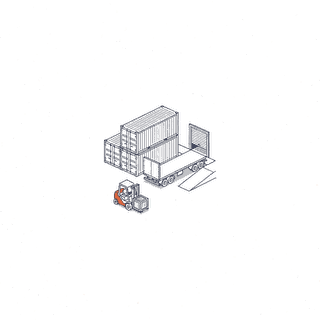
Trucking
BrokenThe whole desk is dark
- What we see
- Machine red since 2:12 in the morning. Everything else is red because we cannot see any of it.
- What it means
- A power cut in the warehouse. The battery held for twenty minutes, then the machine went down. It has rebooted and is waiting at its encryption password, which comes before the network, so there is nothing for us to connect to.
Does it need us?Yes, but we call you first. Someone on site types one password.
- Step
- Step 4
- Time
- Five minutes by phone. Forty-five if we drive.
- What we do not do
- We call the agreed contact first and work through the reported issue. A visit is arranged when remote diagnosis is not enough.
Four signals
A healthy machine is not the same as a working desk.
A computer can be switched on, encrypted and up to date while the agent inside it has been silent since Tuesday. So every desk reports four separate signals, and each one answers a different question.
The dangerous case is a green machine with a dead agent: your staff are messaging a number that never answers, and without the second and fourth signals we would find out when you did. That is the one thing this board exists to prevent.
- Machine
Is the computer on, online, encrypted and up to date?
- Agent
Is the agent itself alive? It sends a heartbeat every few minutes. Silence turns this red.
- Work
Are the jobs passing, and what are they costing?
- Phone
Is the agreed messaging connection still active? A disconnected channel can stop an update reaching the team.
Before we look at your screen
Five steps. The screen is the last one.
Remote access is the thing to worry about with any outside company, and we would rather show you the ladder than ask you to trust us. Each step is tried before the next, and every step leaves a record.
- Step 0
Approved automated recovery
An agreed health check can trigger a tested restart or recovery action. Other issues are escalated to the support contact. This is an illustrative process.
- Step 1
A terminal, never a screen
One of us connects by command line over a private link. No screen, none of your files on view, and every command is recorded.
- Step 2
A repair we already tested
A fix we have run before, sent from our console and logged. Still nobody watching your screen.
- Step 3
Your screen, with your consent
Only if the first three failed. You are told first, the session is recorded, and the reason is written down in your access log.
- Step 4
We drive to you
Hardware, or a power cut longer than the battery. We are in Doral. It is not far.
Your agreement defines support hours, response commitments and escalation. This simulation does not establish a measured response time or 24/7 coverage.
One machine, one company
Your desk is never shared.
Each client has a dedicated machine and separate accounts. We do not reuse one client’s files or business information for another. Separation reduces shared access; it does not remove the need to review permissions and approved cloud services.
On the machine itself, each agent runs in its own locked room. It can touch what is inside that room and nothing else, and the lock is enforced by the computer, not by a setting we could forget.